Elementary Blended Learning Makerspace

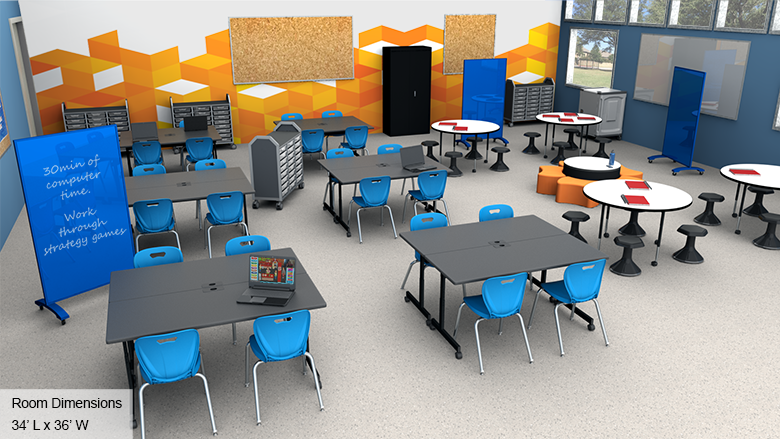
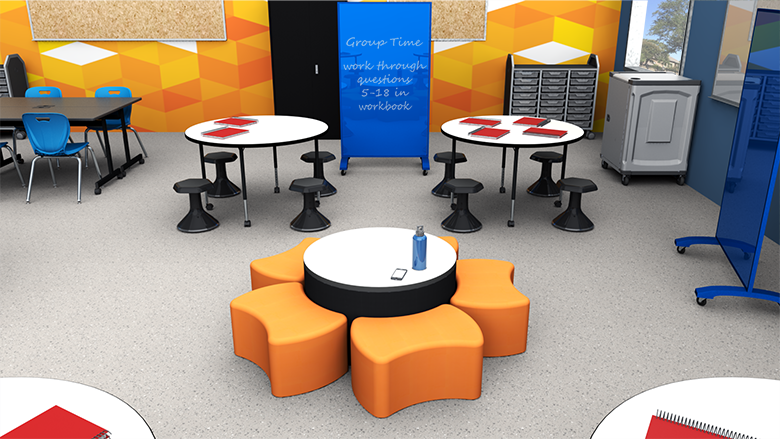
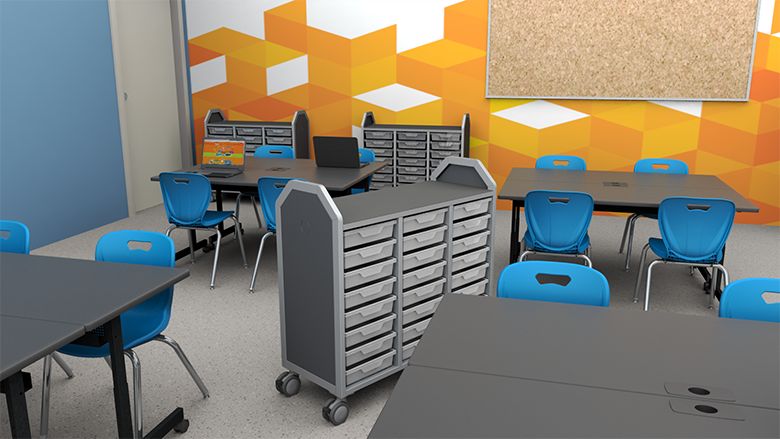
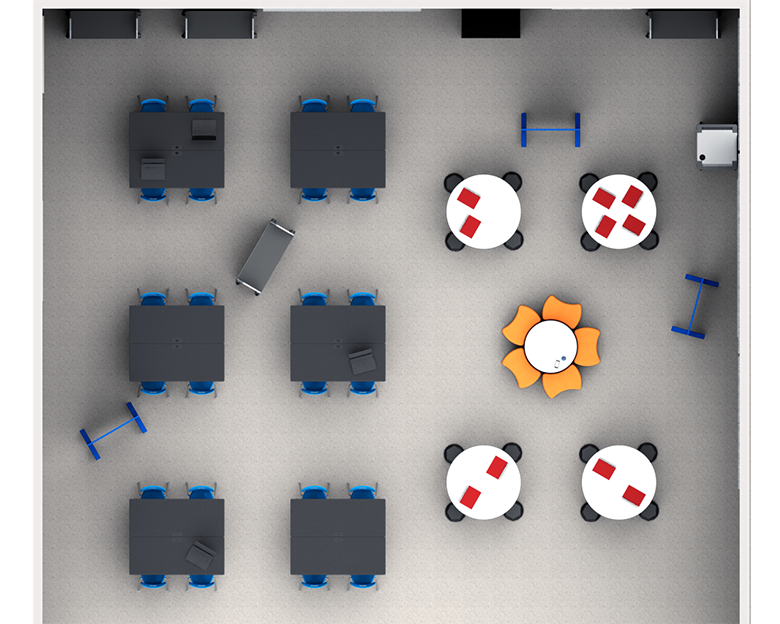
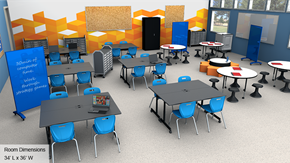
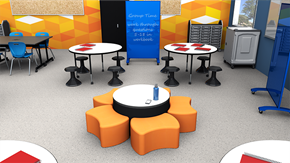
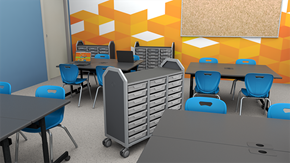
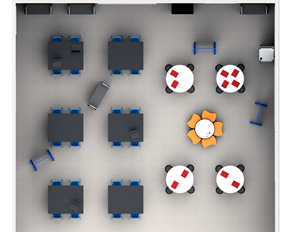
Elementary Blended Learning Makerspace - Overall View Elementary Blended Learning Makerspace - Alt View 1 Elementary Blended Learning Makerspace - Alt View 2 Elementary Blended Learning Makerspace - Plan View
Loading...

Why Blended Learning Makerspace Design Matters

The blended-learning makerspace allows teachers to combine face-to-face learning and hands-on projects with classroom technology. Children should have easy access to devices to use educational software or research lesson topics. Teachers may use software to assess performance or chart progress. Spacious activity tables provide students with enough space to use a computer or device as they spread out books or work with project components. A collaborative work area allows students to participate in project planning sessions or group work.

What Makes a Great Blended Learning Makerspace?

For Students

A great blended learning makerspace should include easy access to computers, laptops, or tablets and enough space to spread out books or other materials. Work surfaces should include grommet holes or wire management systems to keep cables out of the way. A readily accessible collaborative space should be available for maker activities or project planning. Students should be able to move around the room with ease.

For Teachers

The best blended learning makerspace should feature a dedicated space for technology use and collaborative tables to accommodate maker projects, group discussions, or planning sessions. A charging cart makes it simple to keep student devices ready for use, since they can be locked away and charged overnight. Mobile or lightweight seating is ideal since it can be easily moved between the technology and collaborative areas.

For Administrators

A blended learning makerspace should comprise furnishings selected with the school's needs in mind, and all products must be available when needed. The delivery must arrive on time and installation should be quick and efficient.

Blended Learning Makerspace Layout Zones That Work

Demonstration Area

Gives teachers a place to present lesson material or instructions to the whole class.

  • School chairs: Durable reinforced plastic with smooth, anti-static seats and built-in grip handles
  • Activity tables: Used individually or arranged in larger groups with easy-clean tabletops
  • Mobile whiteboards: Large writing surface with magnetic capabilities for displaying papers and storyboards
  • Lockable cabinet: Secure devices and materials requiring supervision while reducing distractions

Project Area

Designed to accommodate group work and hands-on maker projects.

  • Stools: Freedom of movement with backless seats that promote good posture and core strength
  • Adjustable-height tables: Accommodate various student sizes with spacious tabletops and easy-clean laminate surfaces
  • Mobile storage carts: Roll directly to workstations with clear, removable bins in multiple sizes

Breakout Area

Gives small groups of students a space for project work and brainstorming.

  • Soft seating: Lightweight and easy-to-move with soft padding for comfortable group arrangements

Choosing Your Blended Learning Makerspace Solution

School Outfitters makes it simple to outfit your school's blended learning makerspace. Choose the option that best fits your budget and needs and get an itemized quote with just one click, including all three of our specially-designed solutions. Our research and development team designed a blended learning makerspace that caters to the needs of students and teachers alike, with furnishings that accommodate the use of technology as well as maker projects and collaborative activities.

Need help? Call us at 1-800-260-2776 and our helpful sales representatives will answer any questions about our solutions and how you can put them to use in your school.

Frequently Asked Questions

What is a blended learning makerspace?
A blended learning makerspace combines face-to-face learning and hands-on projects with classroom technology, providing easy access to devices for educational software and research while supporting collaborative maker activities.
What technology features are essential for blended learning makerspaces?
Essential features include work surfaces with grommet holes for wire management, charging carts for device storage, easy access to computers and tablets, and spacious activity tables for spreading out materials while using technology.
How should furniture support both technology use and maker projects?
Furniture should include dedicated technology spaces, collaborative tables for maker projects, mobile or lightweight seating that moves between areas, and adjustable-height tables to accommodate various project types and student sizes.
How do I get a quote for a blended learning makerspace setup?
Click the "Get a Quote" button on this page or call 1-800-260-2776 to speak with a School Outfitters specialist about your blended learning makerspace needs.
We're here to help. Contact us.
Call
Ready to speak with
a project expert?
Call 1-800-260-2776.
We're ready to listen!
Chat
No time for a
phone call?
Chat with a (real)
project specialist.
Read More
Want to learn more
about this space?
Check out our helpful
room guide.
loading...
Sign up to receive offers & updates
Accepted payment types
Shop with confidence
Better Business Bureau®
Loading...