

Audio time looks different from room to room. Some classes need simple playback for video and reading support. Others need a mic for oral answers, language practice, or online tests.
The best headphones and headsets for school match the task, the port, and the age group. This buyer-focused listicle breaks down the most common student headphone and headset types, plus a few day-to-day details that help sets last longer and stay easier to manage.
Headphones and headsets: start with the task
Headphones are for listening only. Headsets add a mic for speaking and recording, often on an adjustable boom near the mouth. Start with the task list to narrow the field fast.
Shop School Outfitters: student headphones
Learning activity: List audio playback, spoken response, language work, and assessment needs
Device ports: Check the exact port type at student seats, then test playback and recording on school devices
Student fit: Try samples with the ages served, including students who wear glasses

1. Over-ear headphones for long wear
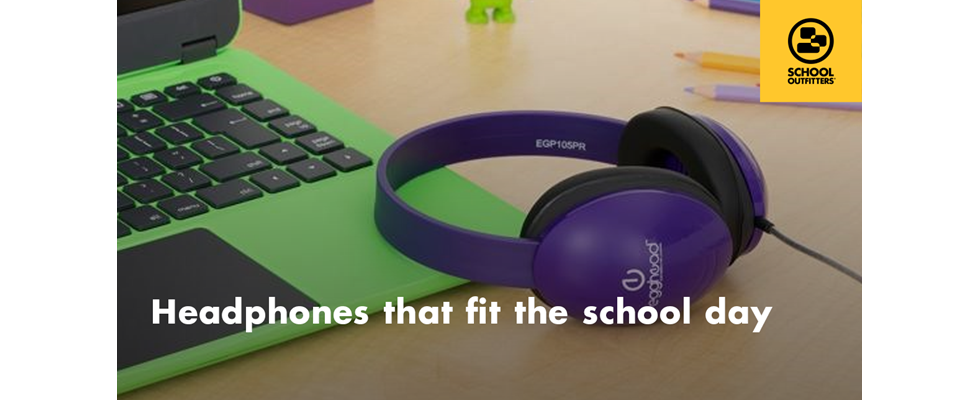
Over-ear headphones sit around the ear and help block room noise with a close fit. That passive noise reduction is different from active noise cancellation, which uses electronics to cut outside sound.
Shop School Outfitters: over-ear headphones
During a sample trial, check earcup space, headband adjustment, and comfort across a full class period. A quick try-on rarely tells the full story.
2. On-ear headphones for quick sessions
On-ear headphones rest on the ear. This style can work well for short audio time and for sets that need a compact footprint in bins, bags, or carts. Cushioned ear pads and an easy-to-adjust headband help.
Shop School Outfitters: on-ear headphones
Test pressure and stability with the intended age group. A fit that slides or pinches turns into distraction fast.
3. Boom-mic headsets for speaking and recording
Boom-mic headsets fit tasks that need clear student voice capture, such as oral responses, virtual lessons, and language work. A mic that moves toward the mouth helps keep audio steady.
Shop School Outfitters: boom microphone headsets
Run a quick voice test with several students in the same room. Listen for clear speech, low handling noise, and a boom that stays in place.
4. Child-size headphones for younger students
Young learners often need smaller sizing for a stable fit. A child-size set can reduce slip, keep earcups in place, and feel more comfortable across the day. Replaceable ear cushions also help with shared sets.
Shop School Outfitters: child-size headphones
School Outfitters also offers Egghead headphones, available only at School Outfitters, with a 3-year warranty.
Shop Egghead: Egghead headphones
5. Wired sets for computer labs and testing
Wired headphones and headsets keep a steady link at fixed stations. Port type matters here.
A 3.5 mm audio-only plug does not do the same job as a 3.5 mm TRRS plug, which carries audio and mic signals. Some devices use separate headphone and mic ports. USB headsets need a matching USB port and device support.
Shop School Outfitters: wired headphones
Measure cord length along the real path from device to student seat. Extra slack can tangle. Short cords can pull and strain the connection points.
6. Earbuds for individual kits
Earbuds can fit individual student kits when storage and hygiene stay simple. Fit varies, so sample testing matters. Replaceable tips also help when kits need refresh parts over time.
Shop School Outfitters: earbuds
Set a clear routine for storage, labeling, and cleaning before a wider rollout.
A few more details that support smooth days
The right set does more than play audio. It fits your daily routine from distribution to cleanup.
Durability and parts: Check cable strain relief, headband build, and the ability to replace ear cushions, cables, or mic parts when wear shows up
Volume limits for younger students: A simple volume knob is not the same as a true output limit. Some child-safe headphones limit output by design. Others use a built-in limiter. Safe listening still depends on good settings and regular breaks.
Shared audio setups: Plan the exact setup for paired audio, such as a splitter or a sharing jack, then test it with your devices before order day.
Wireless headphones: They can help when cords get in the way, but they still need charging, pairing checks, and school approval.
Cleaning: Confirm approved cleaning steps and cushion material, especially for shared sets
Storage and labels: Pick a home for every set, label it, and keep cable bends gentle so cleanup stays quick and steady
A sample test tells the truth. Run a full class routine: hand out, connect, listen, record when needed, clean, and store.
Next step: Shop student headphones
Q&A
Question: What separates headphones from headsets in classroom use?
Short answer: Headphones support listening only. Headsets add a mic for spoken responses, recordings, and live instruction.
Question: What should a sample test include before a bulk order?
Short answer: Comfort over a full class period, port fit, audio quality, microphone clarity when needed, cleanup steps, and a realistic storage plan.
Question: What volume feature matters most for young learners?
Short answer: A clear limit on output, not only a volume control. Child-focused headphones may limit volume by design, and some models add a built-in limiter. Reasonable settings and breaks still matter.
Question: What device detail helps avoid headset issues in labs?
Short answer: The exact port type at each station. Audio-only 3.5 mm, 3.5 mm TRRS, separate mic and headphone ports, and USB connections do not all work the same way.
Question: What makes earbuds a better fit for school use?
Short answer: Individual assignment, clear storage, simple cleaning, and access to replacement tips when kits need refresh parts.